Quick answer
Job-management software and compliance tracking solve different problems.
Your job system may already handle quoting, scheduling, technicians, project updates, invoices or customer communication. Some platforms also include parts of licence, certification or contractor compliance tracking.
But many trade businesses still end up using spreadsheets, calendars, inboxes and shared folders for recurring compliance records such as staff licences, insurance renewals, business registrations, vehicle due dates and Fleet & Plant records.
That does not necessarily mean the job-management software is poor.
It usually means the business has a second administrative problem that sits beside job management: keeping recurring records, documents, due dates and reminders organised across the whole business.
The difference between job management and compliance tracking
A job-management system is usually centred around work.
It may help a business manage things such as:
- enquiries and jobs
- scheduling
- quotes and estimates
- technicians or crews
- project updates
- timesheets
- materials
- invoices
- customer communication
Compliance tracking is centred around recurring records.
That can include:
- staff licences and certificates
- training or competency records
- insurance renewals
- business licences, registrations or memberships
- vehicle registration and insurance
- Fleet & Plant servicing
- equipment inspection, certification or calibration dates
- supporting documents
- reminder dates
- current, due soon and overdue status
There can be overlap between the two systems.
Some field-service and construction-management platforms already include staff licence, contractor credential, certification or insurance-expiry features.
The question is not whether your job-management software has any compliance functionality.
The more useful question is:
Does it cover the recurring records your business actually needs to manage — and is your team using it successfully?
Why compliance records still end up outside the main system
There are several common reasons.
1. The feature exists, but only covers part of the problem
A platform might track staff licence details but not business-level insurance renewals.
Another might handle subcontractor certificates but not Fleet & Plant service dates.
Another might store licence numbers but not provide a simple whole-of-business view of what is current, due soon or overdue.
Businesses then create a spreadsheet to fill the gaps.
2. The compliance feature is tied to another workflow
Some compliance tools exist mainly to support job scheduling, certificates, project access or safety forms.
That may be useful, but it can make broader recurring administration harder to manage when the business wants to see everything together.
For example, an office manager may want one view showing:
- a staff licence expiring next month
- a public liability policy due for renewal
- a ute registration due soon
- a plant item approaching its service date
- a certificate that still needs an updated document
If those records are spread across different modules, the business still has to bring the information together manually.
3. The business already has a system, so nobody wants to change it
Replacing a job-management platform can be expensive, disruptive and unnecessary.
A business may already be happy with the system it uses for quoting, scheduling and field work.
The problem might simply be that recurring compliance administration is not being handled well inside that system.
That is why many businesses end up running two layers:
- operational software for jobs
- spreadsheets, calendars and folders for recurring compliance
4. The compliance feature is there, but the team does not use it consistently
Software only works when the process around it works.
If staff licences are entered but expiry dates are not maintained, the system is incomplete.
If documents are stored somewhere else, the office still has to search.
If reminders are configured for some records but not others, managers can lose confidence in the system.
Once that happens, people often create another spreadsheet “just to be safe”.
That usually creates more duplicate administration rather than less.
5. One person becomes the real system
Many small and growing trade businesses have an experienced office person who knows where everything is.
They know:
- which spreadsheet has the licence dates
- which folder contains the insurance certificate
- which vehicle is due for rego
- which staff member still needs to send a document
- which calendar reminder should not be ignored
That knowledge can keep the business running.
But it also creates dependence on one person’s memory.
A good compliance process should make the information visible to the business, not just familiar to one person.
Signs your current setup still has a compliance gap
Your existing software may be working well for jobs while compliance administration remains difficult.
Common signs include:
- staff licences are still tracked in Excel
- insurance renewals are stored in email or calendar reminders
- vehicle dates live in a separate spreadsheet
- Fleet & Plant records are handled by the workshop or individual operators
- certificates and licences are saved in shared folders without a clear status
- managers cannot quickly see what is current, due soon or overdue
- multiple people maintain separate lists
- the same expiry date is entered into several systems
- completed renewals are not consistently updated
- important follow-up depends on one office person remembering what needs attention
If several of these are familiar, the problem may not be your job-management software.
The problem may simply be that recurring compliance needs its own dependable process.
Do you need another big software platform?
Not necessarily.
The goal is not to create more software for the sake of it.
A small business with a limited number of recurring records may still be perfectly comfortable using a well-maintained spreadsheet and shared folder.
A more structured system becomes useful when:
- the number of staff, vehicles or equipment increases
- more than one person handles administration
- documents are becoming harder to find
- reminders are spread across different calendars
- the business is maintaining duplicate lists
- management wants one clear view of upcoming due dates
- spreadsheet maintenance itself is becoming a job
The system should remove administration, not create another layer of it.
What should a focused compliance system actually do?
For many trade businesses, the useful core is fairly simple.
It should help the business keep together:
1. The record
What is being tracked?
For example:
- electrical licence
- insurance policy
- vehicle registration
- plant service
- training certificate
2. The person, business area or asset
Who or what does the record belong to?
That might be:
- an employee
- the business
- a vehicle
- a plant item
- a piece of equipment
3. The due date
When does the item expire, renew, need servicing or require review?
4. The supporting document
Where is the current certificate, policy, licence, registration or other evidence?
5. The status
Is the item:
- current
- due soon
- overdue
- completed or renewed where appropriate
6. The reminder
When should someone start acting before the final due date?
7. The responsible person
Who owns the follow-up?
Keeping those pieces together is what reduces the need to search across several systems.
What your job-management software may already cover
Before adding another system, review the software you already pay for.
Ask:
- Can it store staff licence expiry dates?
- Can it store the current licence or certificate document?
- Does it send expiry reminders?
- Can it track business-level policies and registrations?
- Can it track vehicle registration and insurance?
- Can it track Fleet & Plant service or inspection dates?
- Can management see all upcoming due dates in one place?
- Can you distinguish current, due soon and overdue?
- Can more than one person access and maintain the information?
- Is your team actually using these features?
If your current system already handles those needs well, you may not need anything else.
That is an important point.
The objective is not to replace a process that already works.
The opportunity for a dedicated compliance-tracking system appears when the existing stack leaves gaps.
Avoid creating duplicate sources of truth
One of the worst outcomes is having the same compliance information maintained in several places.
For example:
- licence expiry in the job system
- the same expiry in Excel
- a calendar reminder
- the certificate in a Drive folder
- a note in the employee file
Now every renewal requires several updates.
That increases the chance of one copy becoming stale.
Whichever system you choose, decide where the authoritative record lives.
Other tools may still reference the information, but the business should know where to look for the current version.
A practical way to review your current setup
Take 20 minutes and list the recurring records your business currently tracks.
Group them into three areas.
Business
Examples:
- business insurance
- licences and registrations
- memberships
- recurring business documents
Staff
Examples:
- trade licences
- tickets
- certificates
- training records
- qualifications
- insurance or other staff-related records your business has decided to monitor
Fleet & Plant
Examples:
- vehicle registration
- insurance
- servicing
- plant maintenance
- certification
- inspection
- calibration
- other recurring equipment dates
Then, beside each record, write where it currently lives.
You may discover something like:
- staff licence — job system
- insurance certificate — shared drive
- expiry date — spreadsheet
- reminder — office calendar
- vehicle service — driver’s phone
That is the fragmentation you are trying to remove.
Where DueSoon Trade fits
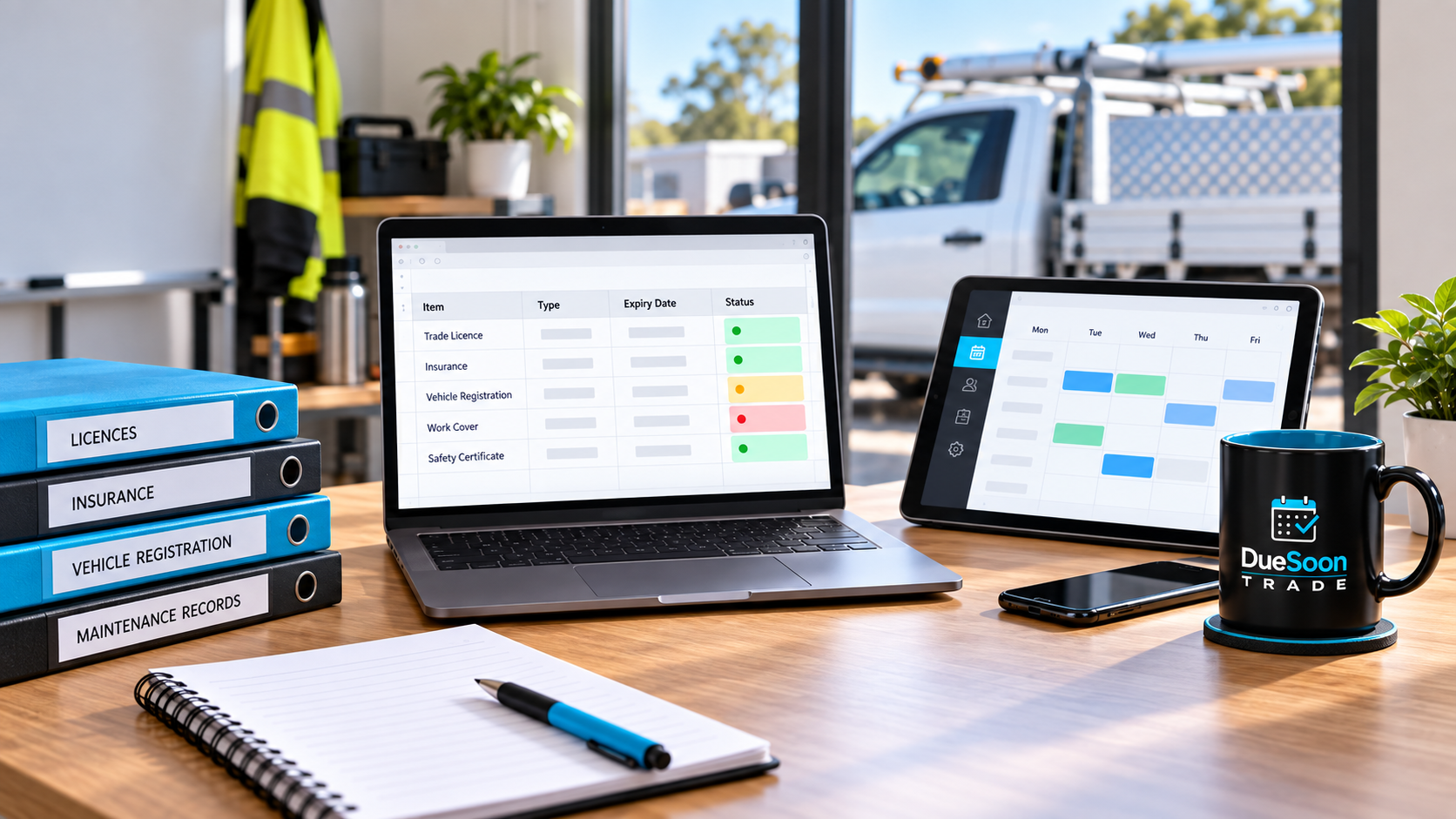
DueSoon Trade is designed as a focused place for Australian trade and service businesses to organise recurring Business, Staff and Fleet & Plant records.
It helps businesses keep the record, supporting document, due date and reminder information together and see what is current, due soon or overdue.
DueSoon Trade is not intended to replace job-management, accounting, payroll or project-management software.
If your existing operational software already manages your compliance records well, keep using it.
The role for DueSoon is where those recurring records are still spread across spreadsheets, inboxes, folders, calendars or several disconnected systems.
Questions to ask before changing your compliance process
Before choosing any new system, ask:
- What recurring records are we currently tracking?
- Which system is the source of truth today?
- What information still sits outside our job-management software?
- Are we entering the same dates in more than one place?
- Can we quickly see what is due in the next 30, 60 or 90 days?
- Can another person manage the process if our usual administrator is away?
- Are current documents stored with the record?
- Are reminder windows early enough to take action?
- Are completed renewals consistently updated?
- Which parts of the process still depend on memory?
The answers will tell you whether the problem is software, process, adoption — or a combination of all three.
Final takeaway
Using job-management software does not automatically mean your recurring compliance records are under control.
Some platforms already provide useful licence, certification and expiry features. Others focus more heavily on jobs, scheduling, quoting, invoicing or project delivery.
The important question is not which logo appears on your software.
It is whether your business has one dependable way to see:
- what recurring records it has chosen to manage
- where the current documents are
- what is due next
- what is already overdue
- who is responsible for the follow-up
If your job-management system already provides that and your team uses it consistently, you may already have the right solution.
If those records are still scattered across spreadsheets, calendars, inboxes and folders, that is the gap worth fixing.
Explore how DueSoon Trade helps organise recurring Business, Staff and Fleet & Plant records, documents, due dates and reminders or join early access to hear when public demos reopen.